How Much Does It Cost to Run a Local AI Mini PC 24/7? Idle Power, Electricity & True TCO in 2026
A local-AI box left on 24/7 costs roughly $15–$60 a year in electricity — and the spread is almost all idle power, because a personal LLM server sits idle 95%+ of the time. A Strix Halo box idles ~13W (~$20/yr); a DGX Spark idles ~37–40W (~$55/yr). For an always-on box, buy for idle watts, not peak specs.
DataHardware Team
Our Top Pick
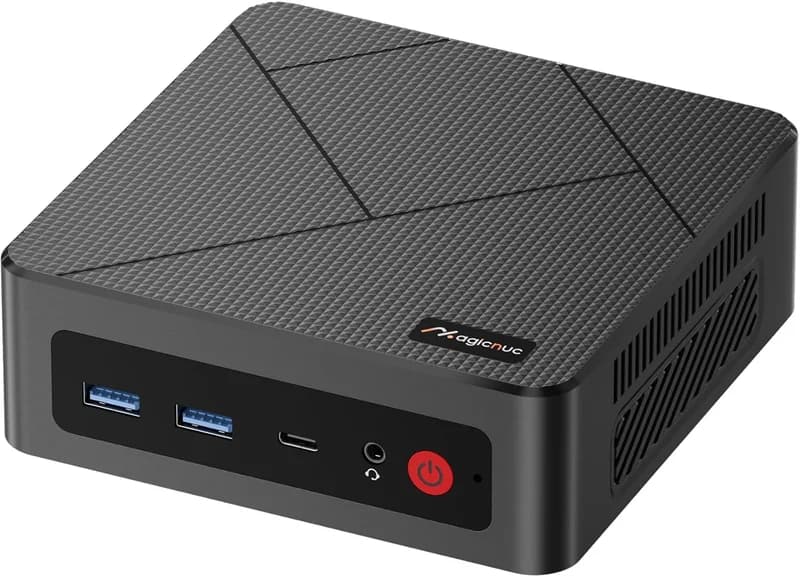
MAGICNUC AS1 Mini PC (Ryzen 5 3550H)
$329Quick answer: A local-AI mini PC left on 24/7 costs roughly $15–$60 a year in electricity at the US-average ~$0.17/kWh — and the spread is almost entirely idle power, because a personal LLM server sits idle more than 95% of the time. A Strix Halo (Ryzen AI Max+ 395) box idles around 13W (~$19–$20/yr), a budget iGPU host idles under 15W (~$15/yr), and an NVIDIA DGX Spark idles ~37–40W (~$55/yr) — before you run a single token. Verdict up front: for an always-on box, buy for idle watts, not peak specs. A low-idle Strix Halo box or a budget iGPU host is the cheapest to own; the DGX Spark's idle penalty is a real, recurring line item you pay whether or not it's inferring. (All watt figures below are "as reported" in cited 2026 testing — firmware-, OS-, and config-dependent; catalog prices are from our product data.)
The number every "best mini PC" guide leaves out
Ten buying guides will tell you which box is fastest, which chip holds a 70B model, and how many tokens per second you'll get. Almost none tell you the number you'll actually pay every month once the box is on your shelf: what it costs to leave running. For a machine most people buy specifically to run 24/7 — an Ollama or LM Studio endpoint, a Home Assistant brain, an always-on agent host, a RAG backend — operating cost is half the buying decision, and it's the half nobody prints.
This post fills that gap. Not "what can it do," but "what does it cost to own." And the answer hinges on one counterintuitive fact that reframes the whole purchase.
The counterintuitive rule: idle watts decide the bill, not peak draw
Here's the mental model that flips the usual spec-sheet thinking. A personal LLM server spends 95%+ of the day idle — the model sits loaded in memory, waiting for you to type something. You are not running inference around the clock; you're running it in short bursts and idling the rest of the time. That means your annual electricity cost is dominated by idle watts, not the peak draw the spec sheet advertises.
The math is a single line you can plug your own numbers into:
watts ÷ 1000 × 8,760 hours × your $/kWh = $ per year
Worked example at the US-average ~$0.17/kWh: a box idling at 13W draws 13 ÷ 1000 × 8,760 = ~114 kWh/year, which at $0.17 is about $19/year. A box idling at 40W draws ~350 kWh/year — about $60/year. Same box, same you, but the one that idles 3× higher costs 3× more to own, and the difference has nothing to do with how fast either runs inference. That's the whole game.
Why do these boxes idle so low in the first place? Because they have no power-hungry discrete GPU — the model lives in unified memory on an SoC, not on a 300W graphics card that idles at 40–100W by itself. If that architecture is new to you, our unified memory vs VRAM explainer covers why a single shared memory pool is what makes a sub-15W always-on AI host possible at all. The catch — and the reason not all of these boxes idle equally low — is what else is bolted to the SoC: extra NICs, a discrete-class GPU package, or high-speed I/O all raise the floor.
Idle and load power, box by box (2026 numbers)
Here are the reported figures the mainstream guides never put in one table. Idle is what you pay almost all year; load is the thin slice on top when you're actually generating.
| Box / platform | Idle draw (reported) | Under LLM inference (reported) |
|---|---|---|
| Budget iGPU host (Ryzen mini PC) | <10–15W | ~25–45W |
| Strix Halo (Ryzen AI Max+ 395) | ~13W (10–20W measured) | ~112W (65–90W sweet spot; ~140–170W full load) |
| NVIDIA DGX Spark (GB10) | ~37–40W (recently cut ~32%) | ~60–90W |
| Apple Mac mini class | very low (single-digit to low-teens) | modest, silent |
Sources & caveats: the Strix Halo ~13W idle and DGX Spark ~37W idle figures track owner-experience testing at YUV.AI and review measurements at ServeTheHome and Tom's Hardware; the DGX Spark idle number was cut by roughly 32% via an NVIDIA firmware update (ConnectX NIC hot-plug detection), per Tom's Hardware's July 2026 report — proof that idle draw is not a fixed spec but a moving, firmware-dependent number. The Strix Halo 65–90W inference sweet spot comes from the Strix Halo power-modes guidance. Budget-host sub-15W figures echo dev.to writeups like Yanko Aleksandrov's "Running a Low Power AI Server 24/7 — My Setup Under 15W." Treat every watt figure as "as reported in [that] configuration," not a guaranteed spec.
Read the table honestly, because there's a genuine twist: under sustained load, the DGX Spark (~60–90W) is actually more efficient than a Strix Halo box (~112W). The Spark is not a power hog when it's working. The case for the cheaper box is not "the Spark wastes power under load" — it's that you almost never sustain load, so the box that idles at ~13W instead of ~37–40W wins the year regardless of load efficiency. This is a new axis to the DGX Spark vs Strix Halo decision that pure bandwidth-and-price comparison misses, and it's the mirror image of the load-efficiency story in our Strix Halo tokens-per-second deep-dive: the Spark's advantage shows up when the box is busy, and the box is idle 95% of the time.
"A Strix Halo mini PC idles at roughly 13 watts versus about 37–40 watts for an NVIDIA DGX Spark, and because a personal LLM server sits idle more than 95% of the time, idle draw — not peak inference power — decides the bill: leaving a 70B-capable Strix Halo box on 24/7 costs on the order of $20 a year in electricity at the US-average $0.17/kWh, roughly a third of the DGX Spark's idle cost."
Annual cost by tier (plug in your own rate)
Now tie the idle-watt figures to actual boxes and actual dollars. The table below uses the watts ÷ 1000 × 8,760 × $/kWh formula at the US-average $0.17/kWh. Multiply by your own rate to localize — and roughly double it for typical EU rates (~2×).
| Tier | Example boxes (price) | Idle draw | ~Idle cost/yr @ $0.17 |
|---|---|---|---|
| Budget always-on host (7–13B) | MAGICNUC AS1 ($329), GMKtec M8 ($389 – $409), Beelink SER8 ($799 – $939) | <10–15W | ~$12–$22 |
| 128GB always-on (70B-capable) | GMKtec EVO-X2 ($3,649), Framework Desktop ($3,449) | ~13W | ~$19–$20 |
| CUDA path (idle penalty) | NVIDIA DGX Spark ($6,950), ASUS Ascent GX10 ($5,999 – $7,999) | ~37–40W | ~$55–$60 |
Two things jump out. First, in absolute terms none of these will wreck your budget — even the DGX Spark's ~$55/year idle cost is under $5 a month. Second, in relative terms the gap is stark: the CUDA path costs roughly 3× as much to leave running as the budget or Strix Halo tiers, purely on idle, and that's a recurring cost you pay for the life of the machine. Over a 4-year ownership window that's ~$220 of electricity for the Spark versus ~$80 for a Strix Halo box — a real number to fold into the purchase, not a rounding error.
The budget tier is the cheapest to own, full stop: a MAGICNUC AS1 idling under 15W running Home Assistant, a small 7–13B model, or an always-on agent is a genuinely sub-$20/year machine.
Why does the Strix Halo tier idle so efficiently despite being a 70B-capable box? Because the Ryzen AI Max+ 395 is a single SoC with no discrete GPU to idle-drain — the same design that makes it a capable local-AI chip makes it a frugal one at rest. Our AMD Ryzen AI Max+ 395 explainer breaks down that architecture. This is also the missing "cost-to-own" column that our best mini PC for local LLMs guide ranks by capability but doesn't price — pair the two: pick the tier there, then read its yearly running cost here.
Local vs API: does the box pay for itself?
If you're cross-shopping "buy a box" against "just pay for an API," the electricity math is the easy part — it's small and predictable. The real question is whether the hardware's upfront cost ever pays back. Here's an honest method rather than a promise.
Your local running cost is nearly fixed: hardware (say ~$1,999 for a GMKtec EVO-X2) plus ~$20/year electricity. Your API cost scales with usage — it's cheap at low volume and grows with every token. So the break-even depends almost entirely on how much you actually run:
- Heavy / always-on / privacy-sensitive users — a coding assistant hammered all day, a RAG backend serving a team, anything where data can't leave your network — tend to break even on the hardware over time, because the fixed local cost undercuts a large recurring API bill and buys privacy that has no API equivalent.
- Light / occasional users — a few queries a day — usually don't break even. API pay-per-use is genuinely cheaper at low volume, and you skip the upfront hardware outlay entirely.
The right way to run this for yourself: take the box price, add its yearly electricity from the table above, and compare against your actual (or estimated) monthly API spend over the ownership window you have in mind. We're deliberately not quoting specific API prices — they change constantly and vary by provider — so treat this as a framework to fill in with your numbers, not a fixed payback date. The electricity, at least, is the one line you can pin down precisely.
Cutting the bill on the box you already own
Already bought one and want the running cost lower? Three levers, in order of impact. Treat these as configuration guidance, not guaranteed savings — actual results vary with hardware, firmware, and workload.
1. Cap TDP with power profiles
Strix Halo's inference sweet spot is 65–90W, versus an uncapped ~140W+ under full load, per the Strix Halo power-modes guidance. Since load is only a thin slice of your day this won't transform your bill, but a TDP cap trims the peaks, cuts fan noise, and often costs little in tokens/sec. It's the first knob to reach for on an always-on box that occasionally runs hot.
2. Let the model unload / schedule idle-down
The single biggest lever is attacking idle itself. If your usage is bursty — office hours, then nothing overnight — configure the runtime to unload the model when idle and/or schedule the box to sleep outside your active window. Generic cost writeups (appliancerunningcost.com, llmconfigurator.com) peg scheduling savings around 40–60% for office-hours patterns, precisely because you're eliminating the idle hours that dominate the bill. If the model must stay resident for instant response, you keep the idle cost; if a few seconds of reload is fine, scheduling is the highest-value change you can make.
3. Watch eGPU and NIC idle overhead
Every extra piece of high-speed silicon raises your idle floor. An OCuLink eGPU (the route GMKtec's newer EVO-X3 opened up — not in our catalog, referenced here by name only) adds a discrete GPU that idles on top of the host. And the DGX Spark's ConnectX NIC is exactly why its idle was high enough for NVIDIA to claw back ~32% with a firmware fix. The lesson: if you don't need the 200GbE clustering or the external GPU, the I/O that enables them is quietly costing you watts every hour of every day. Match the box's I/O to what you'll actually use.
Bottom line: buy on idle watts × your rate
Restate it by workload, because the right answer is segmented:
- Always-on, small models / agents: a budget iGPU host under 15W — MAGICNUC AS1, GMKtec M8, or Beelink SER8 — is the cheapest to own, a few dollars to ~$15/year.
- Always-on, 70B-capable: a low-idle Strix Halo box — GMKtec EVO-X2 or Framework Desktop at ~13W idle, ~$20/year — is the cheapest 128GB box to leave running. For a full ownership writeup, see our GMKtec EVO-X2 review. Need the box fed by a fast NAS 24/7? The Beelink GTR9 Pro adds dual 10GbE (at a small idle cost for the extra NICs).
- CUDA and load-efficiency: the DGX Spark or ASUS Ascent GX10 buys you CUDA-native tooling and better load efficiency, but carries a real recurring idle penalty (~$55/year) you pay whether or not it's working. Worth it if you need the CUDA stack or 200GbE clustering; a costly habit if you don't.
- Silent low-idle alternative: Apple's Mac Mini M4 Pro (or the entry Mac Mini M4) idles very low and runs silent, if macOS/MLX fits your stack and your models fit its memory ceiling.
The metric that should decide an always-on purchase isn't headline TOPS or tokens/sec — it's idle watts × your electricity rate. A personal LLM box is idle 95%+ of the time, so that one number, more than any benchmark, is what you'll actually pay to own it. Buy the box that idles low for your workload, and the yearly bill takes care of itself.